TRA (Thingscare Remote Access)

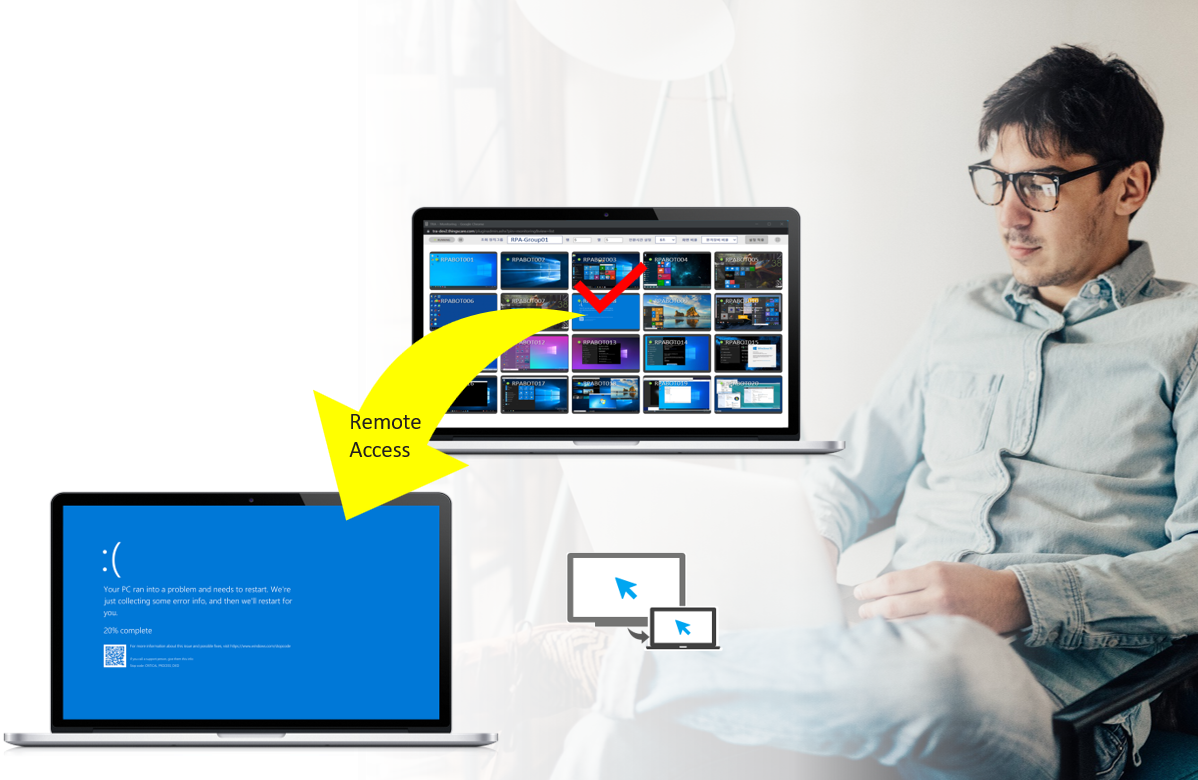
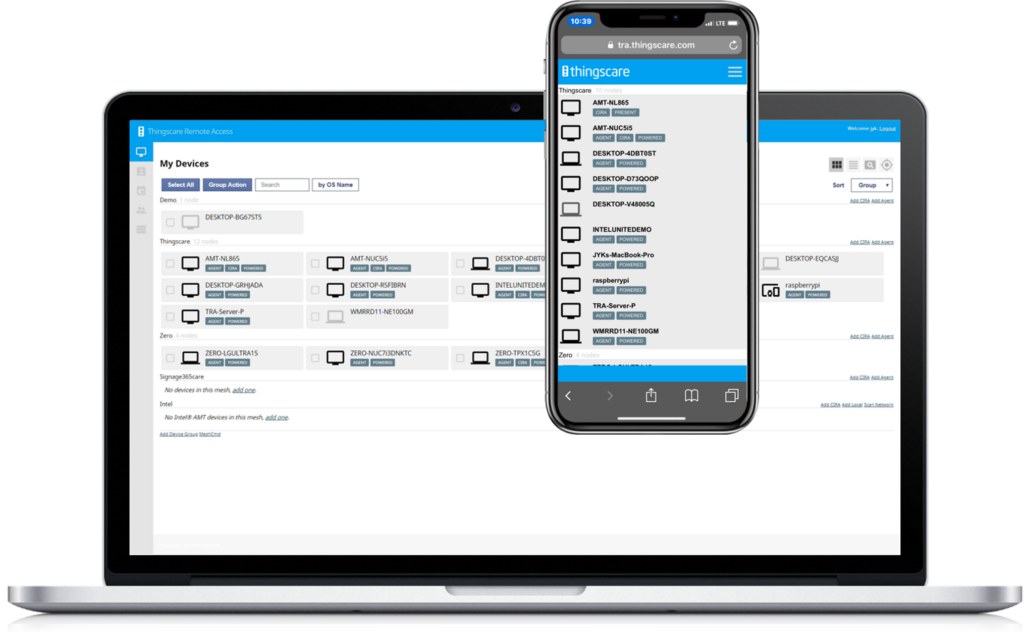
TRA is a remote control solution that enables real-time troubleshooting by viewing the screens of remote PCs, digital signage, and kiosks. It is intuitive and user-friendly, allowing seamless access through web browsers on both PCs and mobile devices.
Easy remote access, TRA

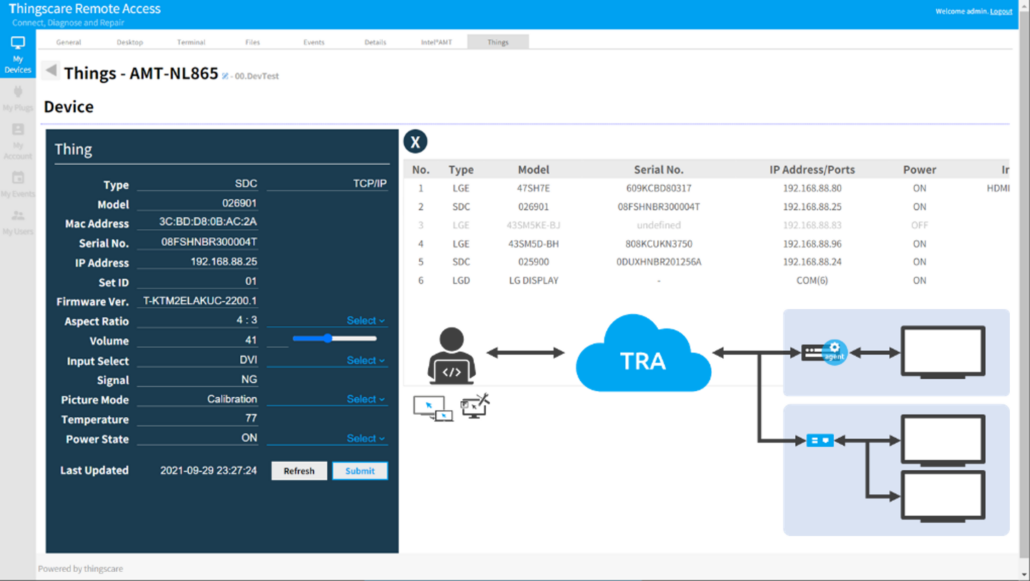
  • Real-Time Device Monitoring and Full Advanced Remote Control
  • Comprehensive KVM support, remote file transfer, and secure terminal access
  • Live Monitor (Optional feature)

Key Feature – Live View

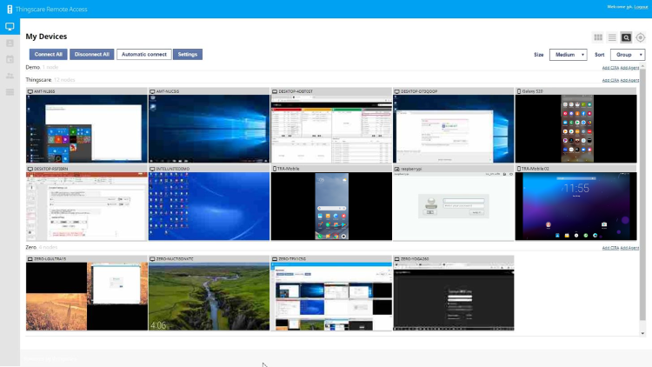
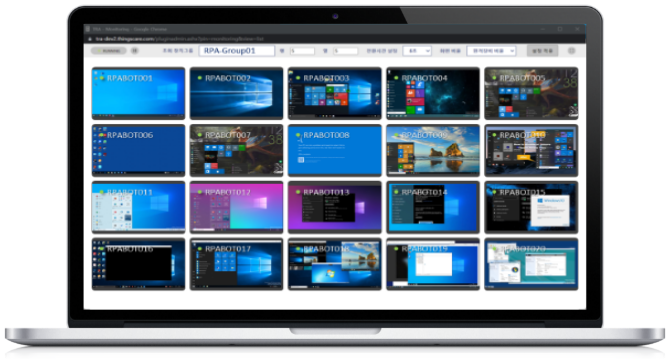
  • At-a-Glance Monitoring: View screen thumbnails of multiple devices simultaneously on a single dashboard.
  • Automated Screen Refresh: Periodically and automatically updates the screens of designated target devices.
  • Flexible Layout Control: Freely adjust thumbnail sizes, row-by-column grid matrices, and screen transition intervals.
  • Proactive Fault Detection: Highly effective for real-time status tracking and immediate error/failure monitoring.

AI Feature – AI-Powered Error Popup Detection & Auto-Alert

(Upcoming)

  • AI-Powered Detection: Vision AI automatically detects system error alerts, update pop-ups, and warning windows that obstruct normal content playback on large LED signage, instantly notifying administrators.
  • RPA Business Continuity: In screen-heavy RPA environments, it immediately alerts administrators to automation interruptions caused by unexpected pop-ups, minimizing downtime.
  • Evidence Retention & History Tracking: Saves freeze-frame evidence of events and maintains historical logs to provide definitive data for root-cause analysis and future optimization.
  • On-Device Edge AI Architecture: Maximizes NPU (Neural Processing Unit) utilization when available, operating as a lightweight On-Device Edge AI solution to minimize impact on existing system workloads.

Key Functions

Dashboard

Monitor real-time screens (thumbnails) of multiple devices simultaneously. Supports multi-monitor viewing and customizable thumbnail sizes.

Monitor Monitor

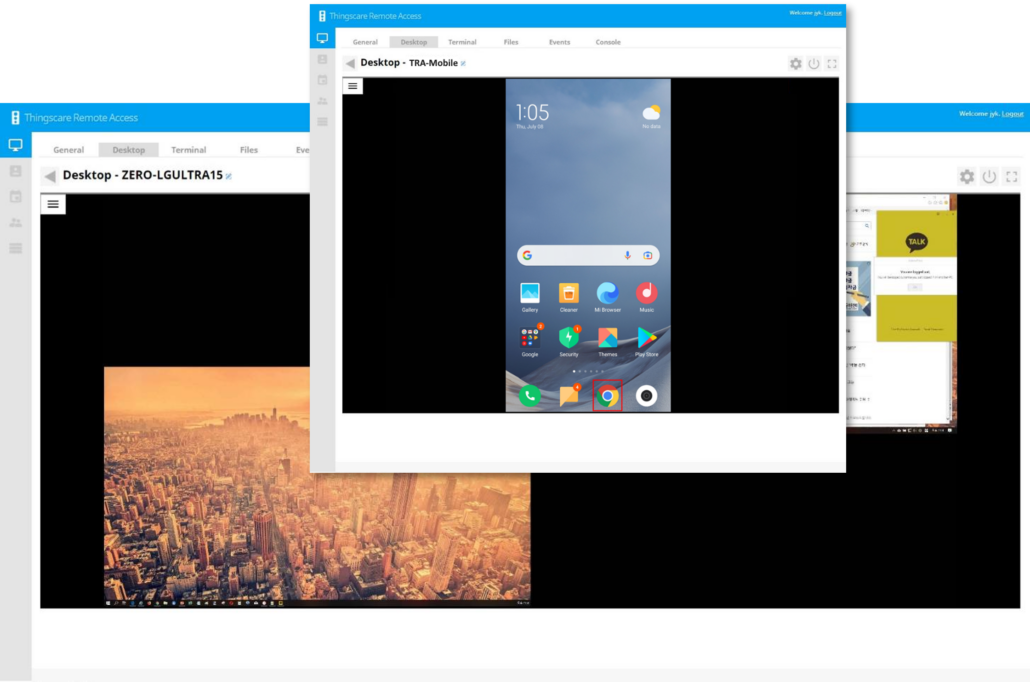
Real-Time Remote Access

View individual device screens to control keyboard and mouse inputs. Supports dual monitors, screen capture, shortcuts, and hotkeys.

Floppy Floppy

File Transfer (Up / Down)

Manage remote files smoothly, including folder creation, deletion, renaming, file sending/receiving, and copying/pasting.

Power Management

Remotely power on (via Wake-on-LAN), shut down, or restart individual devices.

Terminal (Command Prompt)

Supports Windows Terminal and Linux Terminal. Enables background tasks without affecting the user’s active screen.

Vcard Vcard

User Authentication & Permission Management

Enhances security with 2-factor authentication (OTP) beyond basic ID/password. Provides role-based access control and administrative oversight.

Audit logs

Stores on/off timestamps of each smart plug and maintains user login and control history.

Logs can be used for post-mortem statistics and audits.

© Copyright - Thingscare Inc.