TRA (Thingscare Remote Access)

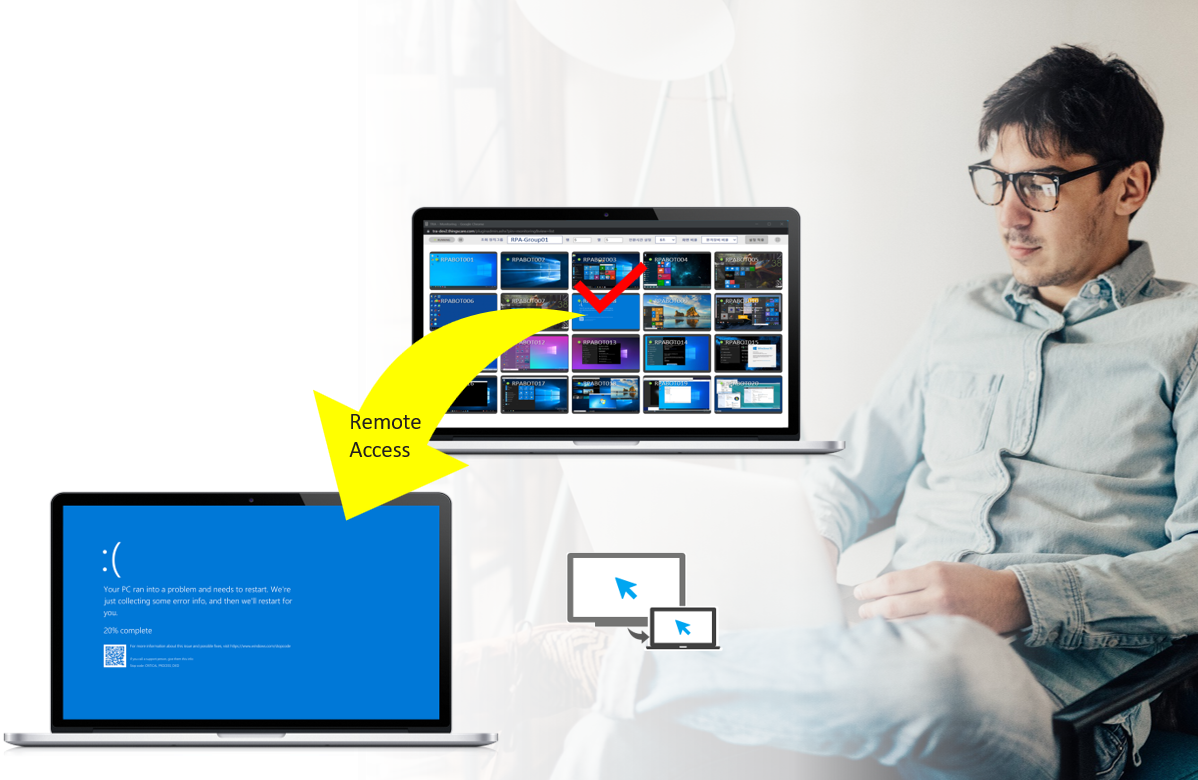
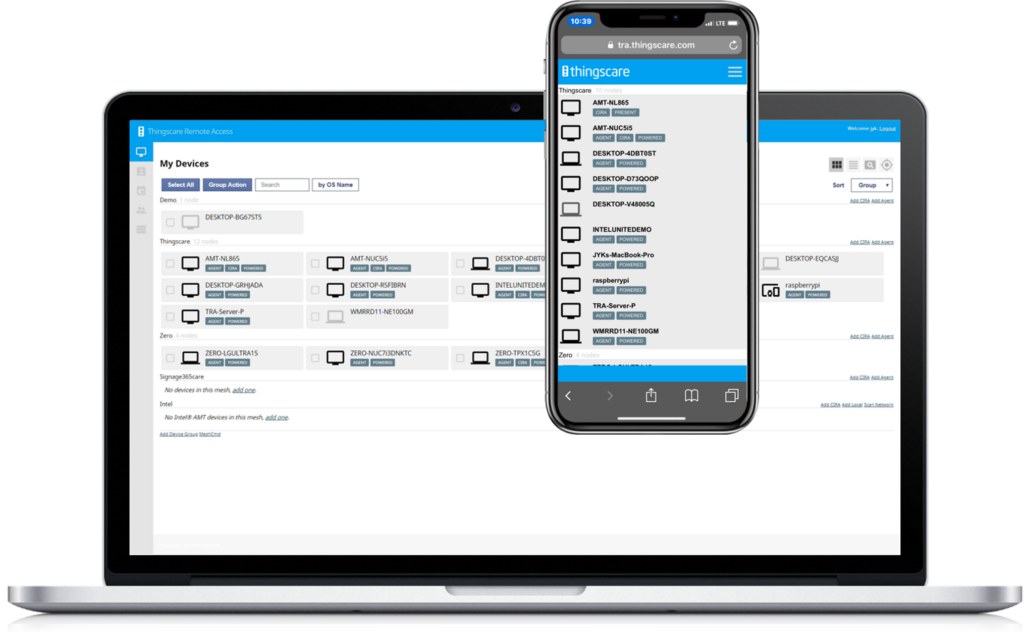
TRA is a remote control solution that enables real-time troubleshooting by viewing the screens of remote PCs, digital signage, and kiosks. It is intuitive and user-friendly, allowing seamless access through web browsers on both PCs and mobile devices.
Easy remote access, TRA

Simple & Effortless Remote Access – PC, Digital Signage, Kiosk Monitoring & Control

  • Real-Time Device Monitoring and Full Advanced Remote Control
  • Comprehensive KVM support, remote file transfer, and secure terminal access
  • Live Monitor

Key Feature – Web Access

  • Web-Based Access (PC & Mobile): Instantly connect and manage devices from any PC or mobile device directly through a standard web browser—no complex installations required.
  • Intuitive UI/UX: Features a user-friendly and highly visual interface designed for effortless operation and minimal learning curve.
  • Lightweight & High-Speed Performance: Built on an optimized, lightweight architecture ensuring rapid response times and smooth real-time control.
  • Cross-Platform Compatibility: Broad OS support including Windows, Linux, and Android.

Key Feature – Dashboard

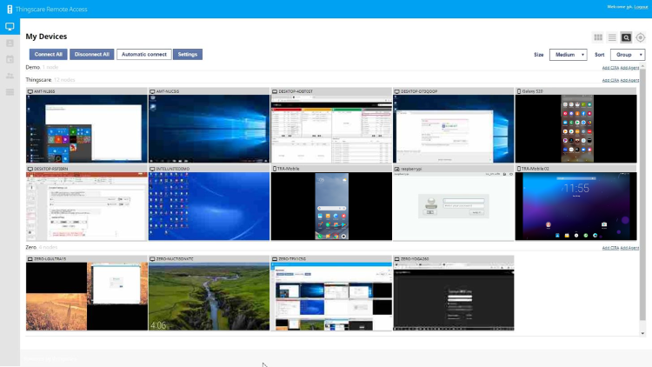
  • Real-Time Thumbnail Monitoring: View live screen thumbnails of multiple remote devices simultaneously.
  • Group-Based View: Organize and filter monitored screens into custom groups for streamlined management.
  • 2-Second Auto-Refresh: Automated screen interval updates every 2 seconds to ensure precise real-time status tracking.
  • Customizable Thumbnail Sizes: Freely adjust the size of the thumbnails to optimize dashboard layout and visibility

Key Feature – Remote Control

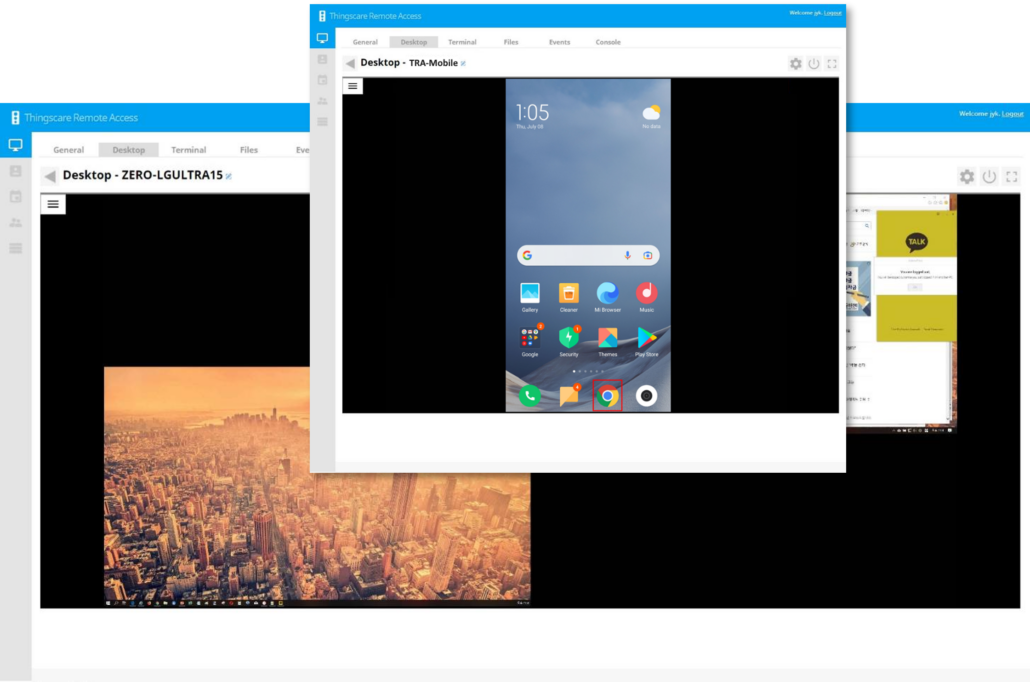
  • Live Screen Streaming: Provides ultra-low latency, real-time visual streaming of the remote device’s screen.
  • Multi-Screen Support: Seamlessly monitors and switches between multiple monitors connected to a single remote system.
  • Instant Screen Capture: Allows administrators to take high-resolution screenshots of the active remote screen for documentation and evidence.
  • Full Keyboard & Mouse Control: Enables precise, synchronized remote input control, operating identically to an on-site technician.
  • Process Check & Kill: Directly inspects running system processes and terminates unresponsive or unauthorized tasks remotely.
  • Multi-Access Support (Concurrent Sessions): Allows multiple authorized operators to connect and collaborate on the same remote screen simultaneously.

Optional Feature – Display Control

  • Supported Models
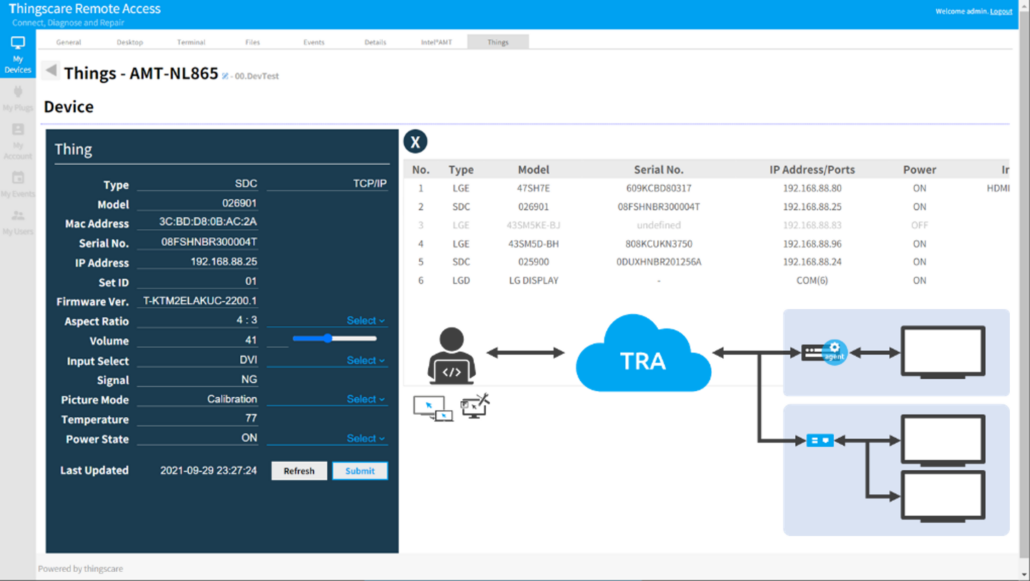
    • LG: Complete support for LG hardware profiles.
    • Samsung: Complete support for Samsung hardware profiles.
    • Any Proprietary Protocols: Compatible with any manufacturer by integrating their unique proprietary control protocols.

  • Core Control Features
    • Power Control: Remote Power On (WOL) and Power Off.
    • Input Source: Check and switch display inputs (HDMI, DP).
    • Aspect Ratio: Check and change
    • Picture Mode: Check and optimize
    • Audio & Volume: Adjust volume levels and toggle Mute.
    • Custom Features: Additional user-requested functions can be customized and integrated.

Optional Feature – Live Monitor

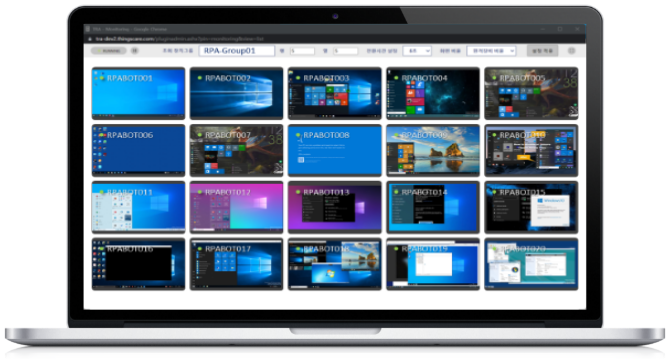
  • At-a-Glance Monitoring: View screen thumbnails of multiple devices simultaneously on a single dashboard.
  • Automated Screen Refresh: Periodically and automatically updates the screens of designated target devices.
  • Flexible Layout Control: Freely adjust thumbnail sizes, row-by-column grid matrices, and screen transition intervals.
  • Proactive Fault Detection: Highly effective for real-time status tracking and immediate error/failure monitoring.

Key Functions

Dashboard

Monitor real-time screens (thumbnails) of multiple devices simultaneously. Supports multi-monitor viewing and customizable thumbnail sizes.

Monitor Monitor

Real-Time Remote Access

View individual device screens to control keyboard and mouse inputs. Supports dual monitors, screen capture, shortcuts, and hotkeys.

Floppy Floppy

File Transfer (Up / Down)

Manage remote files smoothly, including folder creation, deletion, renaming, file sending/receiving, and copying/pasting.

Power Management

Remotely power on (via Wake-on-LAN), shut down, or restart individual devices.

Terminal (Command Prompt)

Supports Windows Terminal and Linux Terminal. Enables background tasks without affecting the user’s active screen.

Vcard Vcard

User Authentication & Permission Management

Enhances security with 2-factor authentication (OTP) beyond basic ID/password. Provides role-based access control and administrative oversight.

Audit logs

Stores on/off timestamps of each smart plug and maintains user login and control history.

Logs can be used for post-mortem statistics and audits.

© Copyright - Thingscare Inc.